10+
Clinical categories
Organize the history by the information someone needs.

Product design · B2B · Design systems
A clearer way to review patient records. A shared component library to build what comes next.
See the case studyThe problem
A patient history can span years of notes, diagnoses and treatments. Finding one detail is only part of the work. The reviewer also needs to know where it came from and how it fits with the rest of the record.
Organize the history by the information someone needs.
A table for finding details. A timeline for seeing dates together.
Clinical Concepts and Documents share the same patient context.
The design challenge
The review needs to answer three questions.
A patient has years of records. The first task is narrowing that history to a condition, medication or procedure.
A clinical concept is an extracted detail. The reviewer needs access to the document behind it, with its date and source.
A date alone cannot show duration or overlap. Reviewing the same history over time adds a different kind of context.
Before and after
01 / Views
Two views of the same history. Switch from individual records to dates without leaving Clinical Concepts.
02 / Controls
Search, filter, export and switch views from one toolbar, right above the results.
03 / Source documents
A side panel lists the documents linked to a concept, with dates and sources. Open the relevant record from there.
The experience we designed
Start with a patient, find a clinical detail, and see where it fits in their history.
01 / Patient profile
Clinical Concepts and Documents stay together in the patient’s profile.
02 / Clinical Concepts
Search a concept, then open the document behind it.
03 / Documents
Find a report by name and read it in the patient’s profile.
04 / The wider view
See how events fit together over time, then switch to the table to review individual records.
What we built for the team
Storybook brings the pieces, their behavior and complete product views into one place. Shared foundations keep color, type and spacing consistent.
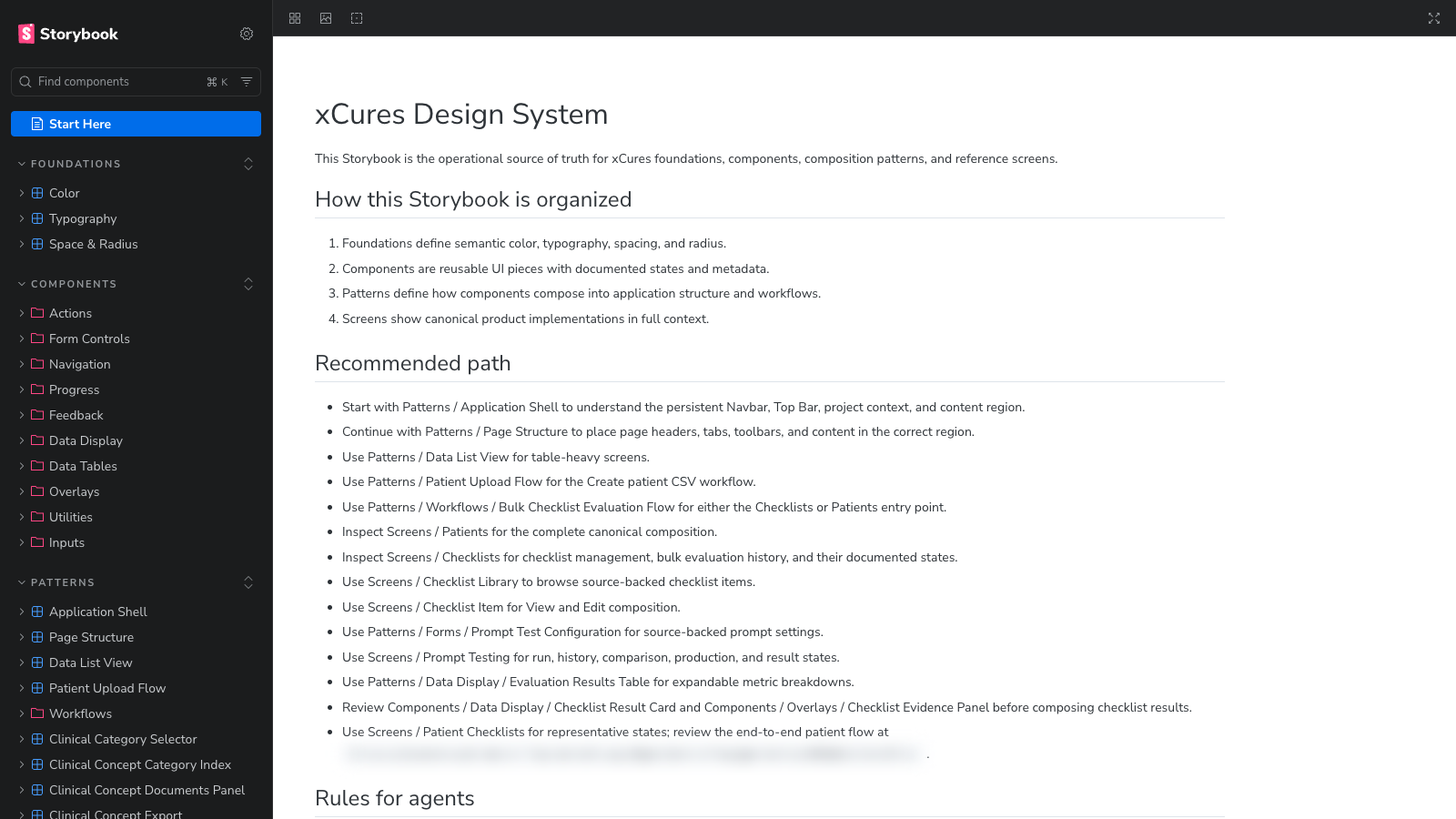
Swipe to explore the details
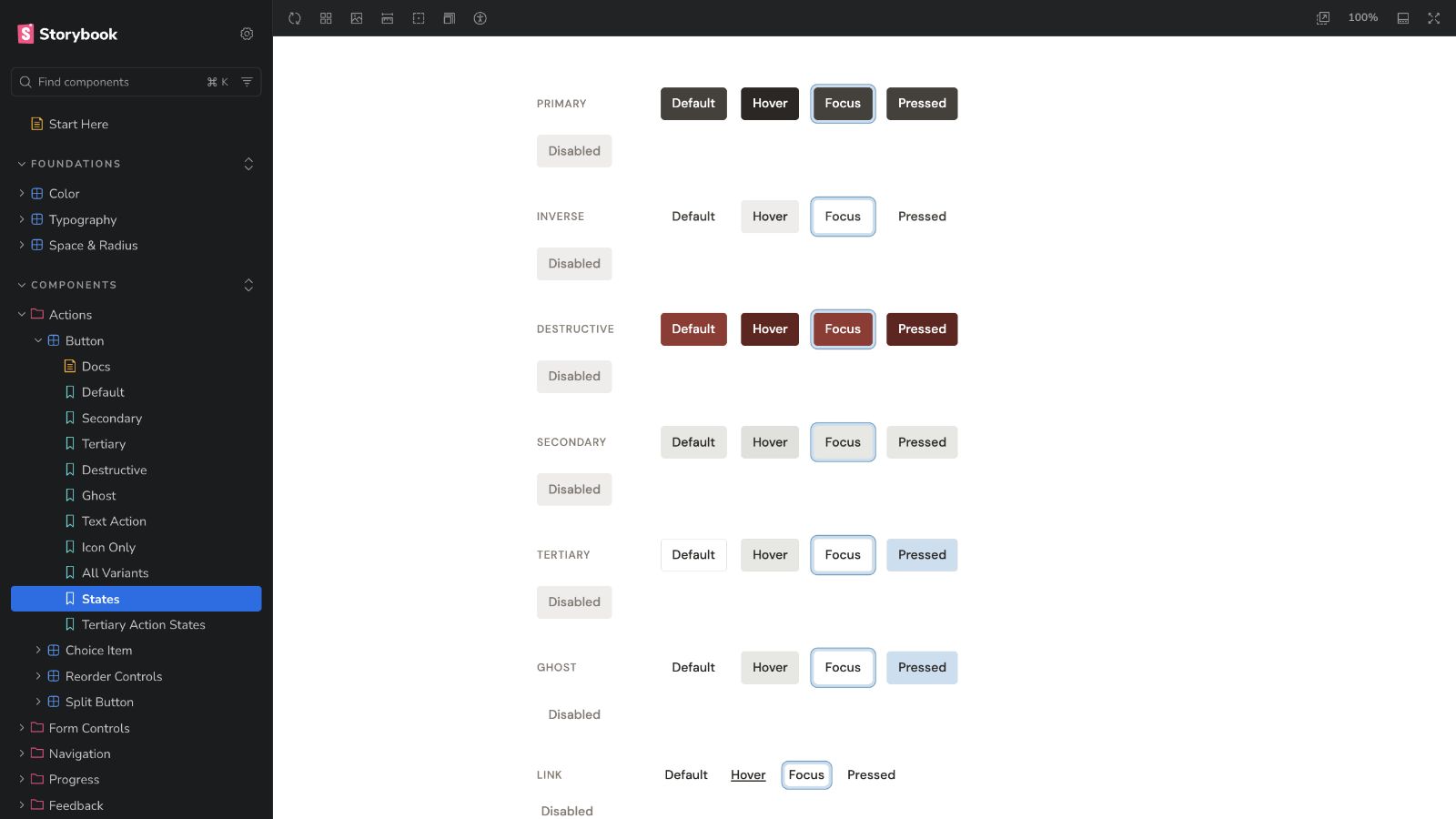
The individual pieces, with their states and usage guidance.
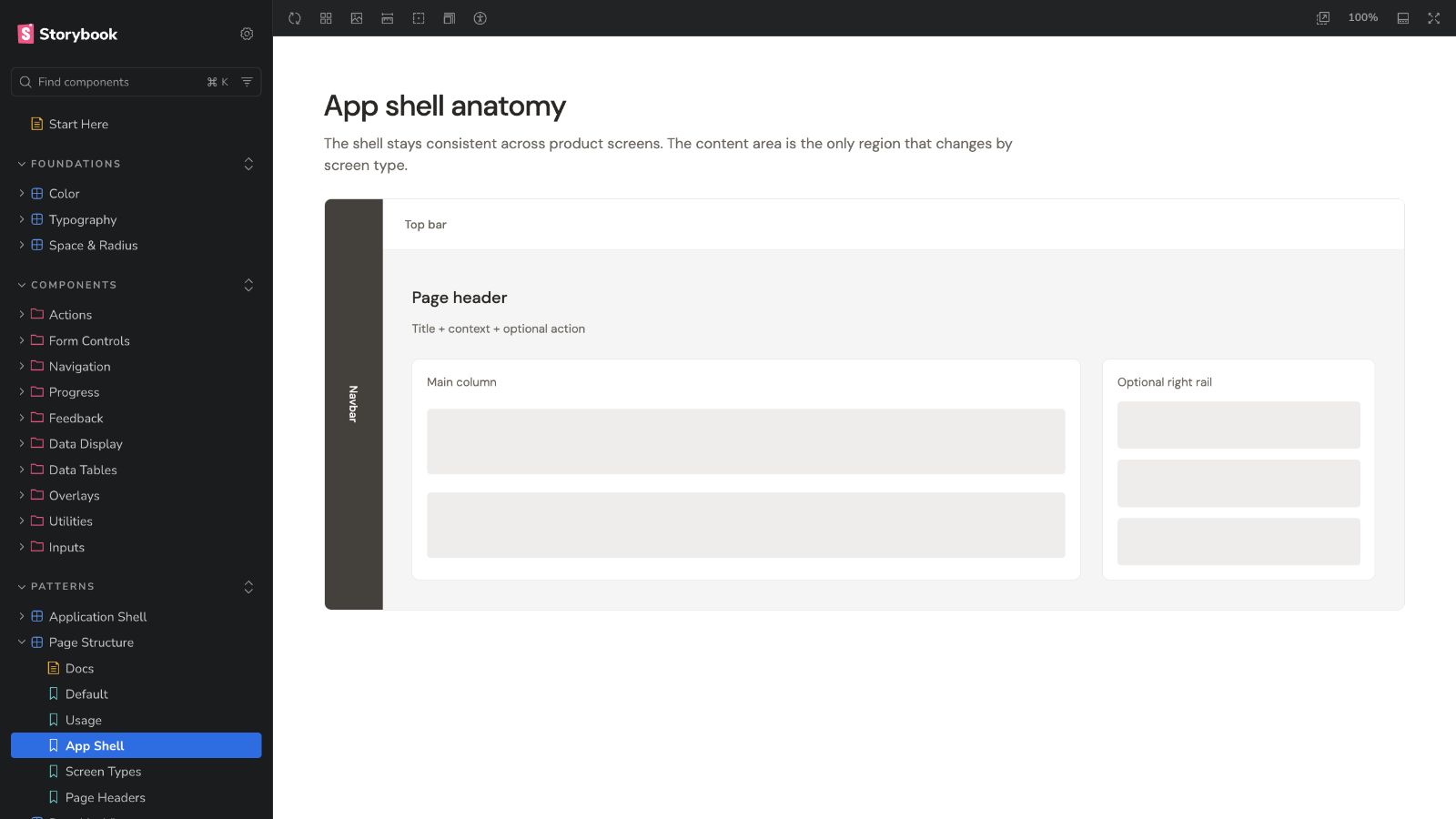
Components working together for a recurring task.
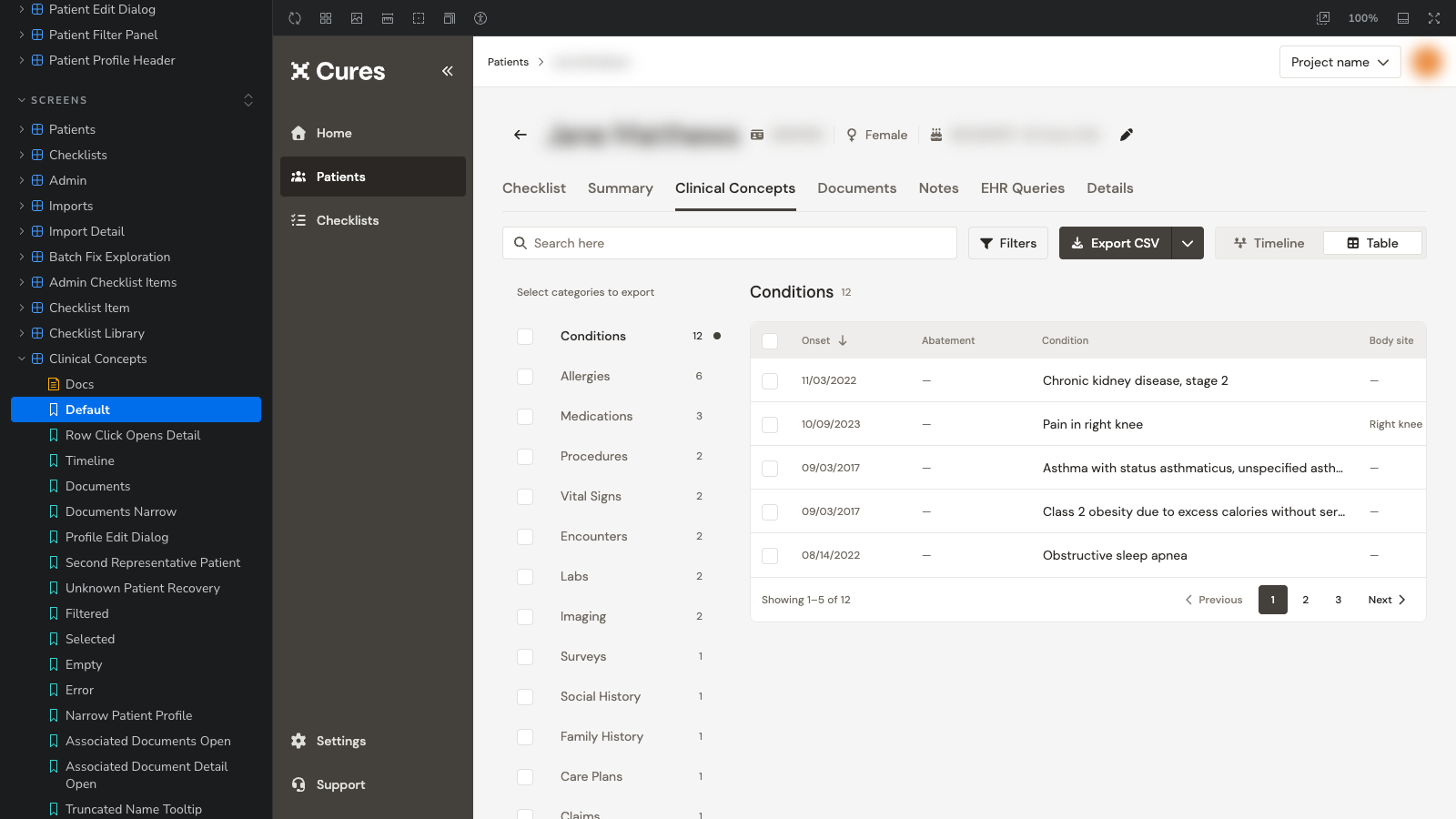
Complete views that show how the system works in context.
Results
A shared workspace and a reusable library for a growing platform. In June 2026, xCures announced its Series B.

Medical records processed
Series B funding
$46MLed by Innovius Capital
Read the announcementHealthcare locations
550K+Total funding raised
$76M+