You can spend months building a component library and still watch an AI coding agent invent a new button, hallucinate a spacing value, or create a pattern that has never existed in your product.
I’ve seen this happen in codebases with thoughtful, mature design systems. The components were there. The tokens were there. The agent simply didn’t understand where the system lived, when to consult it, or which parts of it were mandatory. An agentic design system works only when the agent can reliably find and apply it.
The solution is a small context architecture inside the repository. It gives the agent permanent operating constraints, loads specialist instructions only when they matter, and separates product intent from visual implementation details.
Table of contents
- What is an agentic design system?
- Why a component library alone does not prevent UI drift
- The four layers of design context
- How to make coding agents follow your design system
- How to keep agent context useful
- A practical repository structure
What is an agentic design system?
An agentic design system is a repository-based set of instructions that tells a coding agent how a product should feel, which tokens and components it must use, where those assets live, and what to do when the system does not cover a design need. It turns a human-facing component library into usable implementation context.
This distinction matters because a component existing in Storybook does not guarantee the agent will reach for it. The agent may never discover it, may misunderstand its purpose, or may decide that producing a new local component is faster. The gap between availability and correct use is where design-system drift begins.
In practice, the system has four layers:
AGENTS.mdorCLAUDE.mdsupplies the always-on rules.- Skills supply detailed, task-specific workflows when invoked.
PRODUCT.mdexplains who the product serves and how it should feel.DESIGN.mddefines the visual rules, tokens, components, and constraints.
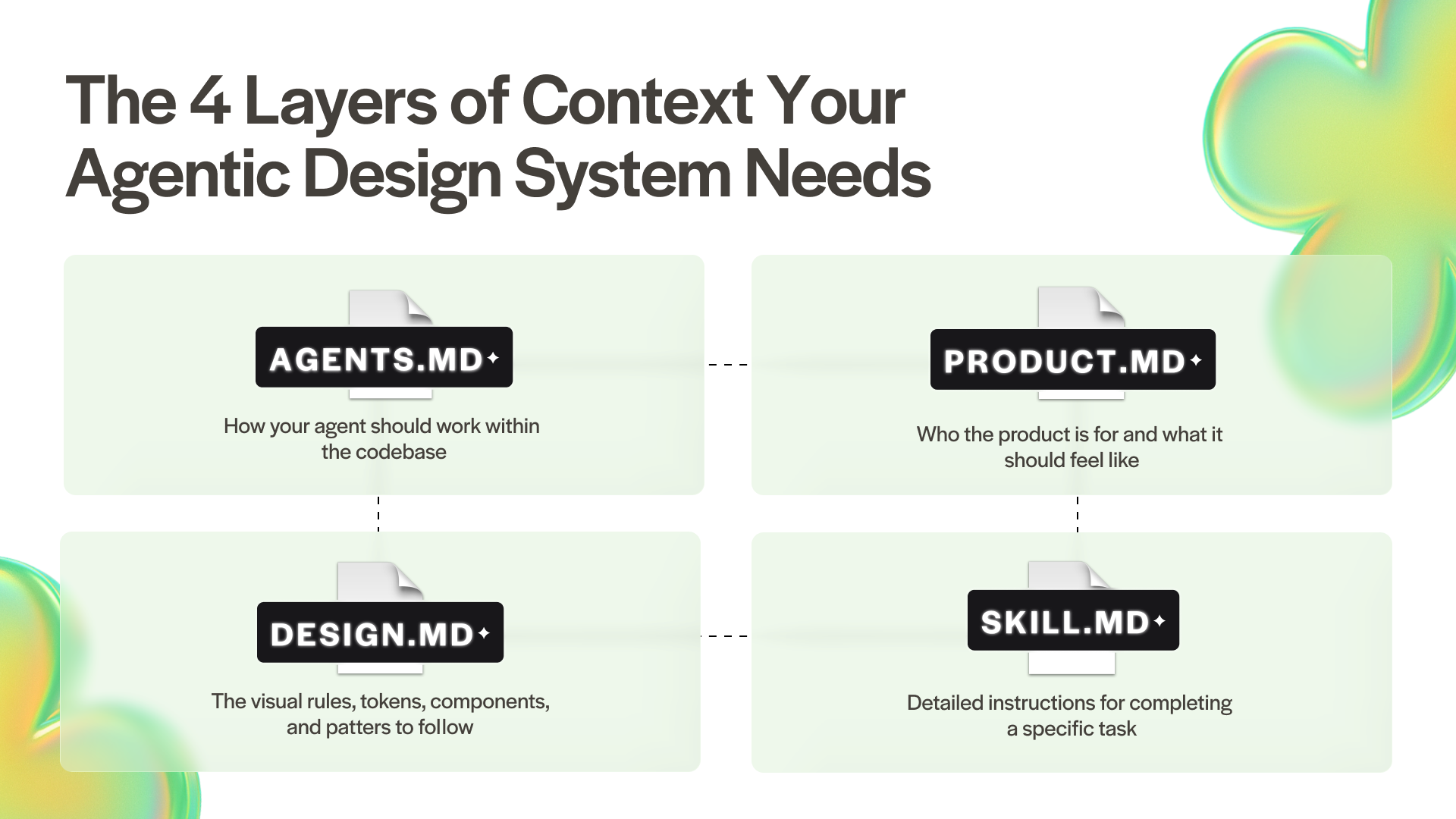
These files have different jobs and different loading costs. Putting everything in one enormous instruction file makes the important constraints harder to see. Splitting the context by purpose lets the agent begin with a lean map, then retrieve the detail required for the current task.
Why a component library alone does not prevent UI drift
Design teams tend to treat the component library as the finished artifact. For humans, it often is: a designer can browse Figma, an engineer can search Storybook, and both can infer intent from experience. A coding agent arrives without that shared history.
When the connection is missing, familiar symptoms appear:
- New components duplicate ones already in the codebase.
- Colors, radii, spacing, and typography drift into one-off values.
- Interfaces converge on a statistically safe, generic SaaS look.
- A change passes functional tests while quietly weakening visual consistency.
The fix begins upstream. The agent needs an explicit route from its permanent repository instructions to the source of truth for product and design decisions. It also needs a clear boundary: when the system has no approved pattern, ask before inventing one.
Dianne references an ETH Zurich study of repository-level context files. LLM-generated files reduced task success by roughly 3% compared with no context file, while human-written files improved success by around 4%. The difference reinforces the practical rule in this setup: keep the always-loaded file compact and reserve it for the information the agent genuinely needs.
The four layers of design context
1. AGENTS.md or CLAUDE.md: the routing layer
AGENTS.md carries repository instructions for Codex, Copilot, Cursor, Gemini, and other coding tools. CLAUDE.md plays the same role specifically for Claude Code. Think of either file as onboarding for a capable new hire who needs that context again at the start of every session.
Because the file loads at the start of a session, every line should earn its place. Include architecture boundaries, unusual conventions, hard constraints, build and test commands, and the short routing instruction that tells an agent when to read design documentation.
For UI work, that routing block can be as direct as:
## UI and design system

Before writing or changing UI:
- Read PRODUCT.md and DESIGN.md.
- Use semantic design tokens and the documented type scale.
- Reuse existing components before creating new ones.
- If the design system does not cover a need, ask before inventing a token, radius, component, or interaction pattern.
- Update DESIGN.md when an approved pattern changes the source of truth.
The permanent file points to the right context. Detailed component documentation belongs elsewhere.
2. Skills: the task-specific layer
A skill is a focused procedure the agent loads when a request matches its description. In Dianne’s example, a “create a PRD” skill contains the instructions for that specific task and loads when someone asks the agent to create a PRD.
This keeps specialist workflows out of the always-on context. The skill description works like the label on a filing-cabinet drawer: short enough to scan, specific enough for the agent to know when to open it.
Skills can live in the project or at a global level on your computer. In both cases, the goal is to retrieve the detailed instructions only when the task calls for them.
3. PRODUCT.md: the product-intent layer
PRODUCT.md captures the durable strategy behind the interface: who the product is for, what it is trying to do, how it should feel, what it should avoid, and the principles behind it. References and anti-references make that direction more concrete, giving the agent more context than a list of visual values can provide.
This is the layer that keeps the agent from defaulting to the familiar generic SaaS pattern. It gives the product an identity before the agent chooses a color, component, or layout.
4. DESIGN.md: the visual implementation layer
DESIGN.md is the operational contract for the interface. It covers color roles, typography, spacing, radii, elevation, component variants, interaction states, responsive behavior, accessibility requirements, and explicit do’s and don’ts.
The most useful design rules include intent alongside values. “Purple is #5955FF” gives the agent a value. “Use purple for primary actions, focus, and selection; never use it as a general success color” gives the agent a decision rule.
The same applies to typography and components. Document where a display face belongs, which text style supports long-form reading, when to use a label style, and which component implements each pattern.
PRODUCT.md will usually change slowly because purpose and audience are durable. DESIGN.md evolves more often as tokens, components, and interaction patterns mature. Keeping them separate makes maintenance much clearer.
How to make coding agents follow your design system
The setup Dianne walks through has five parts:
- Keep
AGENTS.mdorCLAUDE.mdcompact. - Point UI work toward
DESIGN.md. - Put task-specific instructions in skills.
- Keep product direction in
PRODUCT.md. - Make
DESIGN.mdspecific enough to guide implementation.
1. Keep the always-loaded file compact
Use the root instruction file for the architecture overview, conventions, hard constraints, build and test commands, and the things the agent should always or never do. Keep task-specific procedures elsewhere because this file loads at the start of every session.
2. Route UI work to DESIGN.md
The root file should tell the agent to read DESIGN.md before writing or changing UI. It should also tell the agent to use semantic design tokens, match the documented type scale, reuse existing components, and ask before inventing a new token, radius, or pattern.
3. Load detailed workflows through skills
Give each skill a clear name and short description. When a request matches that description, the agent can load the complete instructions for the task without carrying them through every other session.
4. Separate product direction from visual rules
Use PRODUCT.md for the audience, purpose, personality, references, anti-references, and design principles. Use DESIGN.md for the color roles, typography, tokens, components, radii, elevation, and visual rules. These files answer different questions and change at different speeds.
5. Make DESIGN.md explicit
Put the core values in front matter so the agent can find them quickly, then explain how and when to use them. Name the approved components, define their states, and finish with clear do’s and don’ts. If the system does not cover a need, the agent should ask before creating something new and the approved decision should be added back to DESIGN.md.
How to keep agent context useful
Keep the context focused on the job of each file.
Use these maintenance principles:
- Keep permanent instructions scarce. Save the always-on file for constraints that apply across many tasks.
- Move procedures into skills. Load detailed workflows only when the task calls for them.
- Prefer semantic rules. Explain what a token or component means and where it belongs.
- Keep product and design separate. Let each document change at the pace of the information it contains.
- Update the source of truth. When the team approves a new pattern, add it to
DESIGN.md.
Engineering should lead the repository-level instructions, with product contributing the context that agents cannot infer from the codebase alone.
A practical repository structure
The four layers can sit together in a simple project structure:
your-product/
├── AGENTS.md              # Always-on constraints and context routing
├── CLAUDE.md              # Claude Code-specific instructions, if needed
├── PRODUCT.md             # Audience, purpose, personality, references
├── DESIGN.md              # Tokens, components, states, visual rules
└── skills/                # Task-specific procedures
Start small. A concise routing rule, a product page written by the people closest to the strategy, and a design file connected to real components will reveal more than an automatically generated tour of the entire repository.
We’ve built component libraries that hold up when AI agents are working in the codebase every day. The difference comes from designing the path between intent and implementation: the agent knows what the product is trying to become, which system governs the UI, and when it needs a human decision.
If your team has a solid Figma library but the codebase keeps drifting, talk to TDP about building an AI-managed component library.
Read more like this
- Agent skills: stop re-teaching AI your design system
- design.md and your component library: how to scale a design system AI won't outgrow
- Paper AI design tool: a code-connected workflow from design to production