
Go deeper with Dianne
Join me for a live session each month. We’ll take what we’re trying with AI and code into a conversation, with time for your questions.
Monthly live sessionFounding window January 12–21, 2027
A community for product designers learning to work in code with AI. I’m Dianne, co-founder of TDP. I’ll share how we use Claude Code, Figma, and Storybook on real projects, with live sessions, feedback, and a place to talk through your work.
30-day money-back guarantee
Join January 12–21 and keep your founding rate for as long as you stay a member.
Dianne has helped build product work
for teams later acquired by



Come with a question or something you’re building. We’ll talk through what we’re learning, look at your work, and keep the conversation going in Slack.
Join me for a live session each month. We’ll take what we’re trying with AI and code into a conversation, with time for your questions.
Monthly live session
Show a feature you’re building, talk through a design decision, and hear how other designers would approach it.
Product feedback
Share what you’re building, ask about what broke, and see how other designers are approaching it.
Private communityFree walkthroughs
These are the tools and approaches we’ve been trying on real projects at TDP. Pick a walkthrough and try it on your own work.
 Design Systems for Beginners With Claude Code + FigmaWatch on YouTube
 I Built My Entire Design System in 4 Hours With AIWatch on YouTube
 How to Build an AI-Managed Design System With Claude Code SkillsWatch on YouTube
 Design-to-Code Workshop With Claude Code, Cursor & FigmaWatch on YouTube
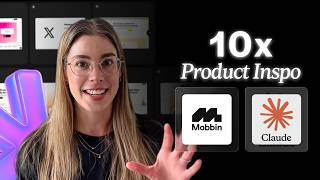 How to Use the Mobbin MCP With AIWatch on YouTube
The skills
The public repo has 25 skills you can use for free. Pick one, try it, and see what it changes in your work. You can find them in the skills catalog and on GitHub.
Review web accessibility against WCAG 2.2, including keyboard navigation and screen-reader support.
View on GitHubBuild or review a component library with the rules and metadata an AI agent needs to use it.
View on GitHubWrite down when and how to use each component, so an agent can choose from your actual library.
View on GitHubCapture how you critique design, work with AI, and make decisions, so you can reuse that context.
View on GitHubPrepare a 45-minute Business Model Canvas workshop, or fill in the canvas from a customer call.
View on GitHubGet shorter, more compressed agent responses while keeping the technical details you need.
View on GitHubTurn a feature request or transcript into a PRD that takes the existing codebase into account.
View on GitHubCreate a reusable Cursor skill and learn how to structure its SKILL.md file.
View on GitHubPull color, type, and spacing from a live website into starter token files.
View on GitHubTake an app page or layout from code into Figma.
View on GitHubGive your agent the context it needs before reading or changing designs through Figma MCP.
View on GitHubFind and install a skill for the task you’re trying to do.
View on GitHubBuild a front-end interface with deliberate layout, type, and visual choices.
View on GitHubUse ideas like anchoring, social proof, and framing to work through a marketing decision.
View on GitHubWork through specific, useful peer feedback using the Non-Violent Communication framework.
View on GitHubPrepare a quarterly review with peer feedback and a development plan.
View on GitHubWrite a quarterly self-assessment covering your work, challenges, and ratings.
View on GitHubName a branch and pull request from a feature description, with an option to create the branch and draft PR.
View on GitHubBuild an HTML slide deck you can present with keyboard controls and progressive reveals.
View on GitHubAdd AGENTS.md, PRODUCT.md, DESIGN.md, and project skills based on what’s actually in your repo.
View on GitHubWrite and test prompts, templates, and schemas for the task you need your model to handle.
View on GitHubSet up visual testing for Storybook components or app screens, including CI.
View on GitHubReview a site’s UX and visual craft, identify the most useful fixes, and draft a review you can share.
View on GitHubCheck interface code for usability, accessibility, and familiar web conventions.
View on GitHubCreate or update skills, then check them with examples before using them.
View on GitHubPricing
Join January 12–21, 2027 and keep your founding rate for as long as you stay a member. The longer you commit, the less you pay each month.
Billed monthly
$57 $49 every 3 months
$228 $169 billed yearly
Every plan includes
30-day money-back guarantee. Secure Stripe checkout.
FAQ
One live session with me each month, product feedback sessions with other designers, and our private Slack. Bring your questions and the work you’re trying to move forward.
The public skills and YouTube walkthroughs are free for everyone. The community gives you a place to go deeper, ask questions, and get feedback as you try things on your own projects.
January 12–21, 2027. Choose monthly, quarterly, or yearly. Yearly works out to $14/mo, and you keep your founding rate for as long as you stay a member.
No. We’re learning at different stages. If you want to understand how AI and code are changing product design and try things yourself, you’re welcome here.
We keep the conversation going in Slack, with designers around the world. That’s where we share work, questions, useful tools, and updates about each session.
Yes, please do. The public skills stay free on GitHub and in our skills catalog. Try them on your own project and keep using them without joining.
Try it for 30 days. If the membership isn’t right for you, email hello@designproject.io within that window and we’ll refund you in full.
The TDP Community
Bring the feature you’re building or the setup you’re stuck on. We’ll work through it together, starting with what you need next.
Founding enrollment: January 12–21, 2027. Plans from $14/mo.
Join the community30-day money-back guarantee. Secure Stripe checkout.